AI Dialer Software: Features, Benefits, Costs, and Use Cases
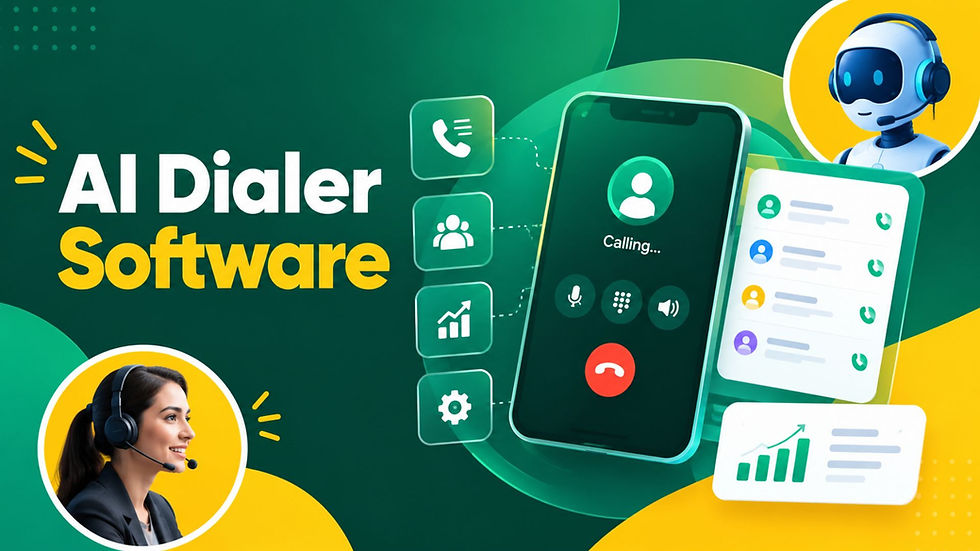
Are your sales representatives spending more time dialing numbers, waiting for responses, and updating records than actually talking to prospects? An AI powered Dialer can help solve that problem by automating repetitive calling tasks while making outbound communication faster and more organized.
In simple terms, AI dialer software uses artificial intelligence and automation to manage outbound calls, connect agents with prospects, prioritize leads, record interactions, and support follow-up activities. Unlike traditional dialing systems, it can use call data and predefined rules to make outreach more efficient.
For businesses handling large volumes of calls, the main value comes from three areas: less manual work, better agent productivity, and more consistent customer engagement. Solutions such as Callified AI are designed around this broader goal of making business calling workflows more intelligent and scalable.
What Is AI Dialer Software?
AI dialer software is a cloud-based calling solution that automates parts of the outbound calling process. Depending on the platform, it can automatically dial numbers, identify call outcomes, route calls, assist agents, and synchronize information with customer relationship management systems.
A typical workflow looks like this:
Import or synchronize leads from a CRM or contact database.
Prioritize contacts based on business rules or available data.
Automate dialing instead of requiring agents to manually enter numbers.
Connect successful calls to the appropriate representative or workflow.
Capture call information such as outcomes, notes, and follow-up requirements.
Analyze performance using call and campaign data.
This makes the technology useful for sales teams, customer support departments, recruitment agencies, financial services, real estate companies, and other organizations where phone outreach is a major part of daily operations.
Key Features to Look For
Not every platform offers the same capabilities. Businesses should evaluate features based on their calling volume, team size, CRM setup, and compliance requirements.
1. Automated and Intelligent Dialing
Automated dialing reduces the time employees spend entering phone numbers and moving between contacts. More advanced systems can prioritize leads and determine which contacts should be called next.
2. CRM Integration
CRM integration keeps customer information connected to calling activity. When a call is completed, relevant details can be recorded without requiring employees to update multiple systems manually.
3. Call Recording and Analytics
Call recording can support training and quality monitoring, while analytics can reveal metrics such as connection rates, call duration, conversion activity, and campaign performance.
4. Automated Follow-Ups
Good software can help teams schedule callbacks, reminders, and follow-up actions. This reduces the likelihood of promising prospects being forgotten after the initial conversation.
5. AI-Assisted Conversations
Some platforms provide real-time prompts, summaries, sentiment analysis, or automated transcription. These features can help representatives understand conversations and complete post-call tasks more efficiently.
What Are the Benefits of AI Dialer Software?

The strongest benefit is not simply making more calls. It is creating a more efficient process around every call.
Businesses can benefit from:
Higher productivity: Representatives spend less time on repetitive dialing.
Faster lead response: Teams can contact prospects sooner after leads enter the system.
Better workflow consistency: Calling campaigns follow predefined processes.
Improved data accuracy: Automated logging reduces manual entry.
Easier performance tracking: Managers can monitor campaign and agent metrics.
Scalable outreach: Teams can increase calling activity without increasing administrative work at the same rate.
However, automation should complement human judgment rather than replace it entirely. Complex customer conversations still require empathy, context, and decision-making.
How AI Dialer Scripts Improve Calling Campaigns
A strong calling workflow also depends on what representatives say once a prospect answers. AI Dialer Scripts can provide structured conversation guidance while allowing agents enough flexibility to respond naturally.
Effective scripts generally include:
A short and relevant opening.
A clear reason for the call.
Questions designed to identify customer needs.
Responses to common objections.
A logical transition toward the next action.
Follow-up instructions when the prospect is not ready.
The goal should not be to make every conversation sound identical. Instead, scripts should provide a reliable framework that helps representatives stay focused and consistent.
How Much Does AI Dialer Software Cost?
The cost varies considerably depending on the provider, number of users, calling volume, features, integrations, and pricing model.
Common pricing structures include:
Per-User Pricing - Businesses pay a recurring amount for each agent or user. This can be easier to budget for smaller teams.
Usage-Based Pricing - Some providers charge according to minutes, calls, or other usage metrics. This may suit businesses with fluctuating call volumes.
Custom Enterprise Pricing - Large organizations may receive customized pricing based on integrations, security requirements, call volume, automation, and support needs.
Before comparing prices, businesses should calculate the total cost of ownership. A cheaper platform may become expensive if it requires significant manual work, lacks CRM integration, or charges separately for important features.
How to Measure AI Dialer ROI

The real financial question is whether the software produces measurable business improvement. AI Dialer ROI can be evaluated by comparing the investment against improvements in productivity, lead conversion, response speed, labor efficiency, and revenue generated through calling campaigns.
Useful metrics include:
Calls completed per representative.
Contact and connection rates.
Qualified leads generated.
Conversion rates.
Average handling time.
Follow-up completion rates.
Revenue attributed to campaigns.
Administrative hours saved.
For example, if automation allows a sales representative to spend significantly more time in productive conversations each day, the additional opportunities created can help justify the software cost.
Common Use Cases
AI-powered dialing can support several business scenarios.
Outbound Sales - Sales teams can automate repetitive prospecting tasks and spend more time having meaningful conversations with qualified leads.
Lead Qualification - Businesses can use automated workflows to contact new leads, collect basic information, and identify prospects that require human attention.
Customer Follow-Up - Teams can organize callbacks after demonstrations, inquiries, purchases, or service interactions.
Recruitment - Recruiters can manage large candidate databases and streamline initial outreach while keeping candidate information organized.
Customer Surveys - Companies conducting customer research can automate outreach and collect responses at scale.
Also watch this video - Meet Callified AI | Your AI Sales Team That Never Sleeps
Conclusion
The right AI Dialer software can turn a time-consuming calling process into a more organized, data-driven workflow. From automated dialing and CRM synchronization to analytics and follow-up management, the technology can help teams focus more attention on productive customer conversations.
The smartest approach is to begin with clear goals, identify the repetitive tasks that slow the team down, choose features that directly address those problems, and track results after implementation. When technology, workflows, and human communication work together, automated calling can become a practical tool for sustainable sales and customer engagement.
FAQs
Q1. Is AI dialer software suitable for small businesses?
Yes. Small businesses can benefit when employees spend substantial time on outbound calls and manual follow-ups. Cloud-based tools can also make advanced calling capabilities more accessible without requiring extensive infrastructure.
Q2. Does it replace sales representatives?
Not necessarily. The software primarily automates repetitive tasks and supports representatives. Human agents remain important for complex conversations, objections, relationship building, and closing opportunities.
Q3. What should businesses evaluate before buying?
Focus on integrations, automation, analytics, pricing, scalability, security, compliance, and ease of use. Most importantly, connect the purchase to measurable business objectives.
Comments